Smart Etsy Tags, from first click to every shop you run.
MI Tags Manager brings keyword analytics into your Etsy dashboard — the data behind every tag, a workspace to keep it in, and the tools to act on it. Here's the whole picture.
Quality — the number Etsy doesn't give you.
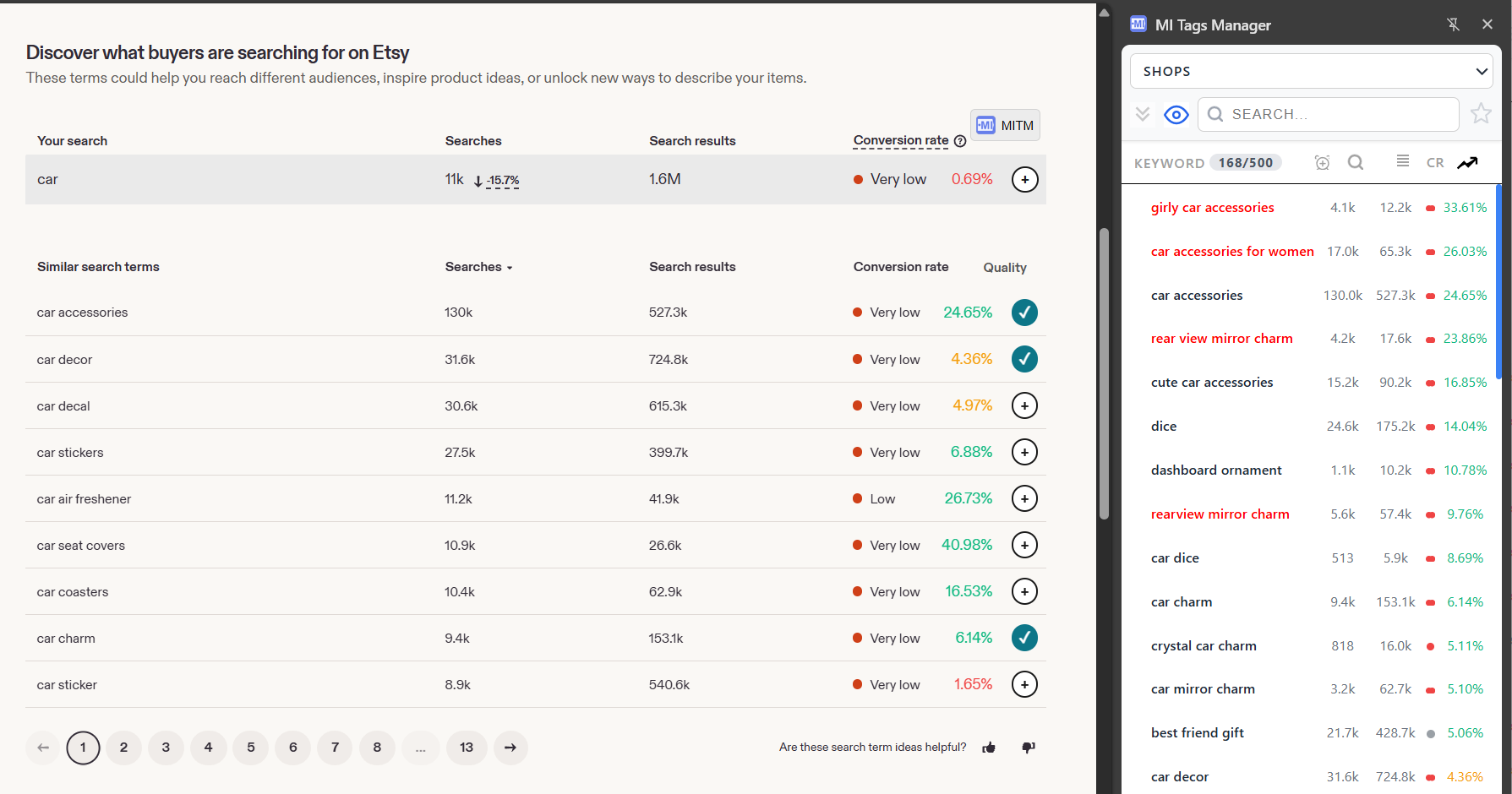
Etsy shows searches and competition, but no single signal for whether a tag is worth using. MI Tags Manager turns supply and demand into one Quality score — colored so you read it at a glance.
- ✓ A Quality score on every tag — in your listing and in Marketplace Insights
- ✓ Colored instantly — green strong, yellow fair, red crowded
- ✓ The one metric Etsy's own tools don't show
Build your keyword workspace.
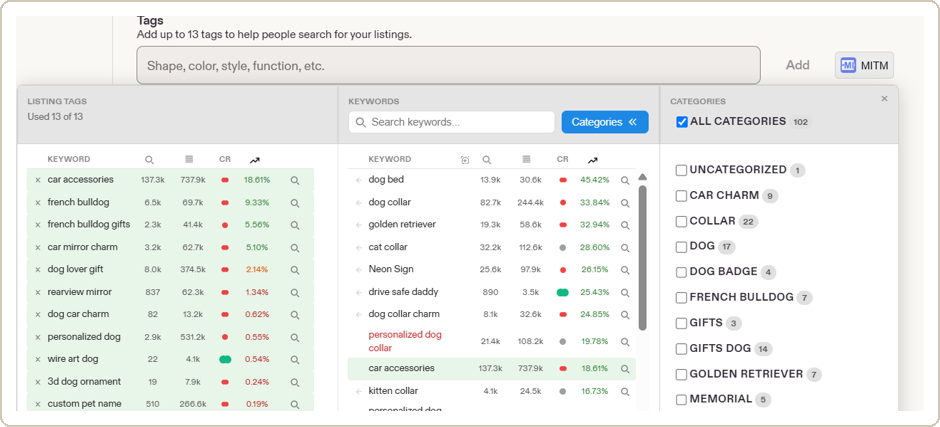
Collect the tags that work into one workspace — organized, searchable, and always kept fresh with current data. Collect once, and it stays useful.
- ✓ Saved tags refreshed with up-to-date numbers
- ✓ Organized as workspace → shops → categories → keywords
- ✓ Search and favorites to find the right tag fast
Find keywords everywhere on Etsy.
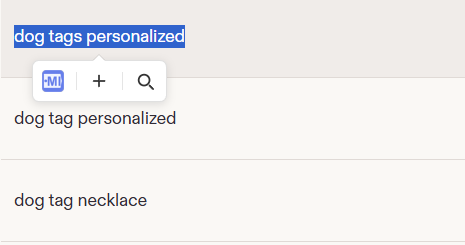
Good keywords are all over Etsy — on competitor listings, in the ads dashboard, anywhere shoppers' language shows up. Grab any of them without copy-paste or tab-switching.
- ✓ Select text on Etsy — and on eRank, Alura, Marmalead, Sale Samurai, and Google Trends
- ✓ Save it, or check it, in a single click
- ✓ Quick-add straight from Marketplace Insights
Dig deeper.
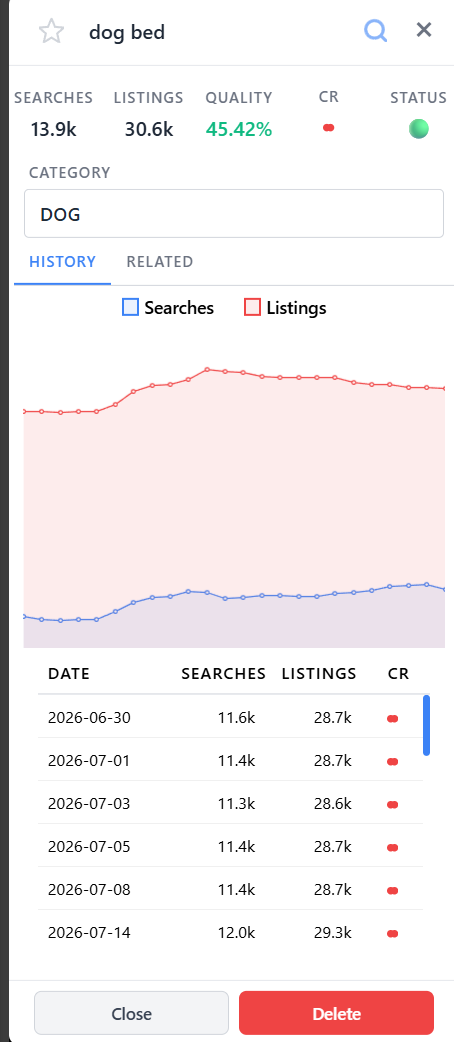
For when a snapshot isn't enough. Open a keyword to see how its demand has moved over time, and branch out into the related terms shoppers actually use. Both are on the paid plans.
- ✓ Yearly search history — demand month by month across the past year (paid plans)
- ✓ Related words to expand your keyword reach
- ✓ Built for sellers who want the full picture
Built for more than one shop.
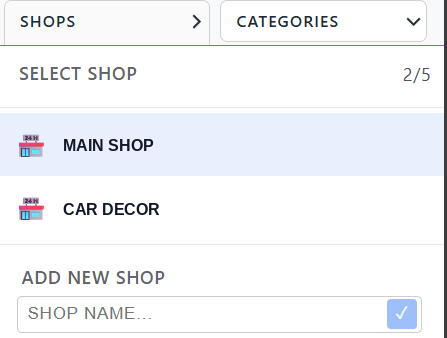
Selling across several shops? Each one gets its own separate workspace — switch shops and your whole keyword set and categories switch with you. Group hundreds of keywords into categories so the list never turns into a pile.
- ✓ A separate keyword workspace per shop — nothing bleeds between them
- ✓ Categories with visibility controls to keep large lists in order
- ✓ Signed in anywhere — your workspace is already there, nothing to set up
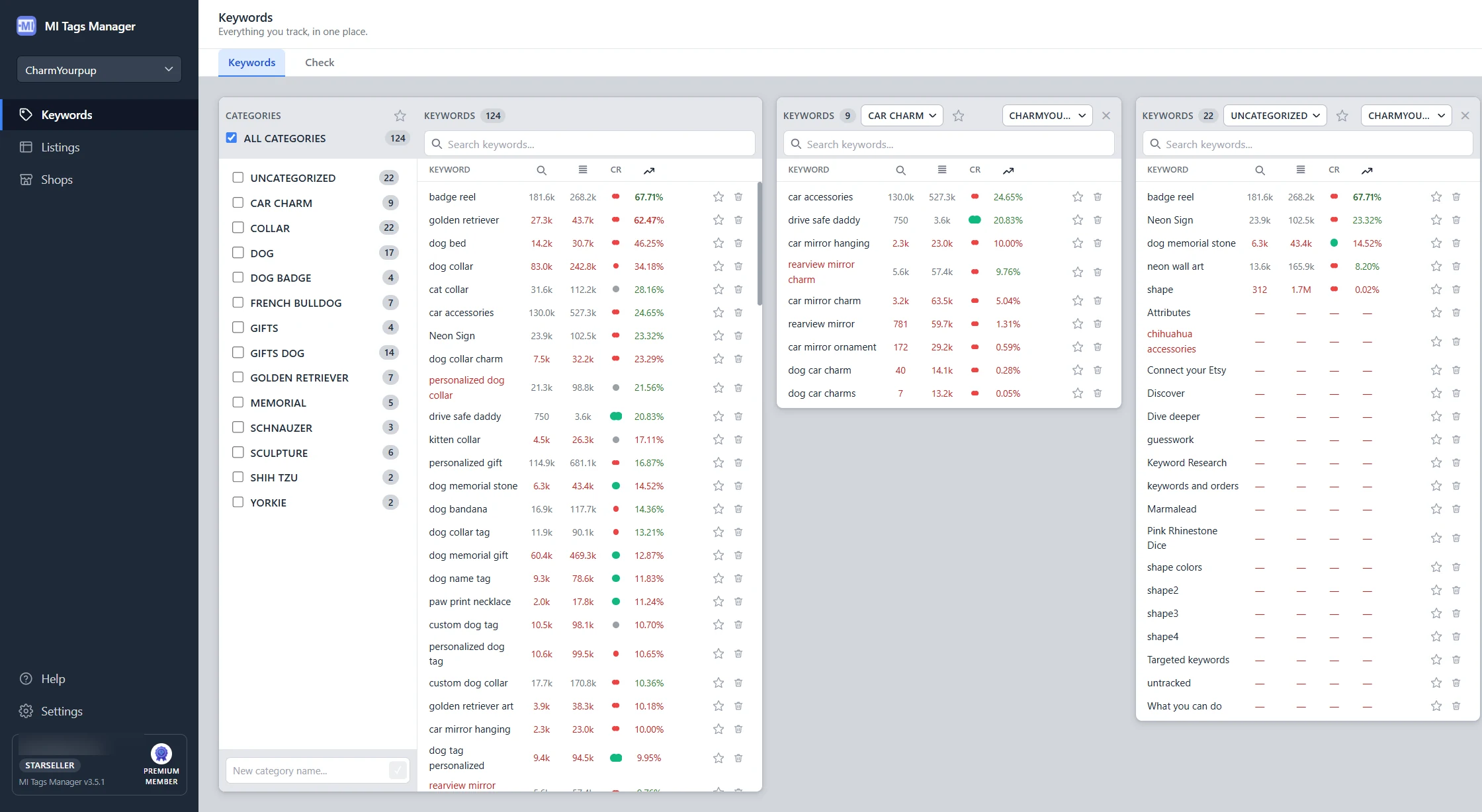
The Pro Workspace — your full-page command center. (paid plans)
When the sidebar gets tight, open the Pro Workspace: a full-page tool built for serious keyword work and shop-wide auditing. Available on every paid plan.
- ✓ Keywords — work several categories at once, drag & drop, large keyword cards with history and related
- ✓ Listings — audit which tags are used across your whole shop, and how often
- ✓ Shops — link your real Etsy shops to workspaces, so switching shop switches your keyword set
Make decisions on data, not guesswork.
Add MI Tags Manager to Chrome and see the numbers on your very next listing.
✓ Works without an account — the free plan is free forever.